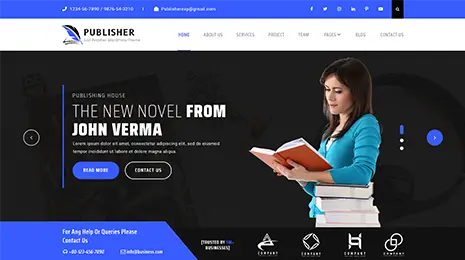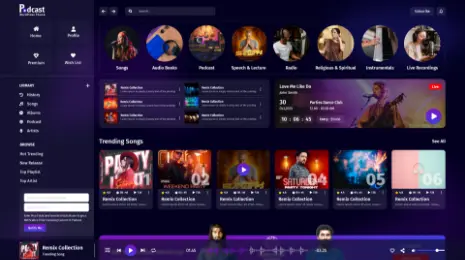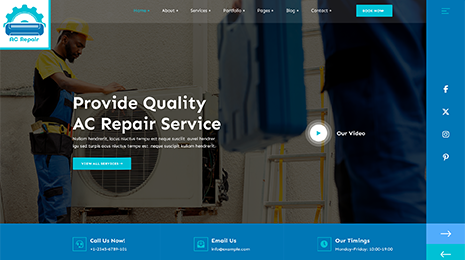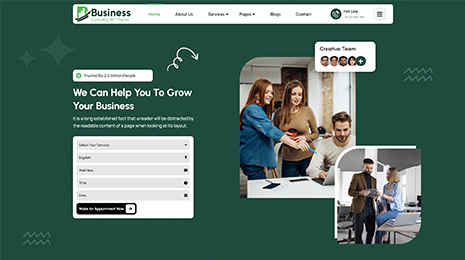
There is a huge difference between an attractive website and a successful website. It is observed that seasoned developers focus more on creating and implementing what they are good at. You might be able to get a visually appealing website but sometimes, this results in sheer negligence towards the modern optimization practices that should be followed. All this can play a decisive role in ensuring the success or failure of your WordPress website. So if you are looking to build an optimized WordPress website, it is better to educate yourself regarding what not to do. These tips will prove useful while creating faster and optimized WP websites.
1. Use A Staging Site For Development Work
You should never ever implement any development-related changes on a live site directly. I repeat, Never! Nearly every well managed WordPress host are now having staging environments as it helps prevent the critical downtime arising due to the breaking of certain things when users make changes on their live site. Even if you are not of a mind to opt for a staging site, then also you have the option to develop and test your site locally.
There are tools such as WAMP and MAMP which make configurations easy for local development. Though these tools have evolved and improved, there are some other challenges when you are trying to test your site locally. The first and foremost thing you need to figure out is how you are going to push the changes made locally back to your live site without breaking it. Several other complications may also arise that include conflicting ports or errors due to different versions of MySQL. The good thing is, there are tools like Local and DesktopServer that can help you avoid such complications. These tools are built with the purpose of speeding up the workflow while working locally.
2. Switching Hosts Will Not Help You Every Time
People you need to realize that switching hosts will not automatically fix certain problems. If there are any code or compatibility issues with your WordPress site, they are still going to occur even after you switch the host. When you opt for a hosting service, a managed host will always try to provide the maximum assistance but they cannot debug the issues related to codes and plugins. It is not a part of their responsibility to fix your external services, perform the content updates of your website, write PHP or HTML codes or even edit the custom functions of the WP themes and plugins you use.
This is certainly not a magic remedy to use for getting optimized WordPress websites. For such issues, you need a full stack and experienced WordPress developer to take a look into the matter and come up with a solution for that particular issue. There are a lot of hosting service providers that also have third-party partners and developers. They can refer you to these developers for resolving all such issues. If you think that there is an issue related to some plugin, then you should also be active on your end and try to reach out to a developer.
3. Don’t Know Coding? Don’t Edit The Codes
This is something you should seriously take note of. If you know nothing about WordPress or don’t know the basics of coding and how coding works, it is better not to touch or modify any of the files. It has been observed that the most common reason behind WordPress sites going down is people editing the PHP file from the appearance editor in the dashboard. I have also mentioned earlier that you should not do any editing on your live site. No matter how much I tell you not to touch the files, what about those who cannot control their creative instinct and go ahead to edit codes? To avoid this, a smart way is to remove the editing capabilities for all the users. This can be done by placing the following code in the wp-config.php file.
define (‘DISALLOW_FILE_EDIT’, true);
You can go a step further and disable the users or clients to install plugins and update the theme. Just place the following code to restrict these capabilities.
define (‘DISALLOW_FILE_MODS’, true);
(the above code also disables the plugin and theme file editor)
4. Cutting Corners On Your Themes And Plugins Is A Bad Idea
It is a general tendency that people always go for things that will save them money along with doing the needful. However, this may prove costly in terms of themes and plugins. You should not compromise with these as these are the key elements that hold your site together. Though WordPress is your base, themes and plugins bring the best out of your site. So always try to go for professional WordPress themes and plugins from dependable and reputable developers.
While choosing the WordPress website themes, you should look for ratings and reviews and also see the history of the developer and what support it provides to the clients. There are thousands of plugins available and it can be an overwhelming task to find the best quality plugin for you. The problem with outdated themes and plugins is that they very easily get affected by malware. Or they may also inject bad links to your site. Another thing is if you purchase the bundle plugins from a third-party developer, you are dependent on them to grab the updates from the developer and then make them available for you. This leads to problems especially if you discover any vulnerabilities as these vulnerabilities leave your site open for hackers and other online threats.
5. Ensuring The PHP/HHVM Compatibility Before You Go On Board
PHP 7 and HHVM have been proven incredibly effective and fast when it comes to getting optimized WordPress websites. Using the latest version is always good but first, you need to make sure that your WP site shows compatibility with it. For instance, if you are looking to upgrade from PHP 5.6 to PHP 7, you should test all the functionalities in the staging environment itself well in advance to avoid any compatibility issues.
6. Optimizing Database For Larger Sites
An unoptimized database could be the reason causing larger sites to slow down. To prevent slowdown, there are simple tasks one can do such as cleaning the old WordPress revisions and cleaning the unused tables.
To Conclude:
So far we have discussed all the important points regarding optimized WordPress websites. I hope this article has guided you in terms of methods you can use for WordPress site optimization and how to implement them to get a highly optimized WP site. All the above-discussed points will help you to get a better and faster WP site.