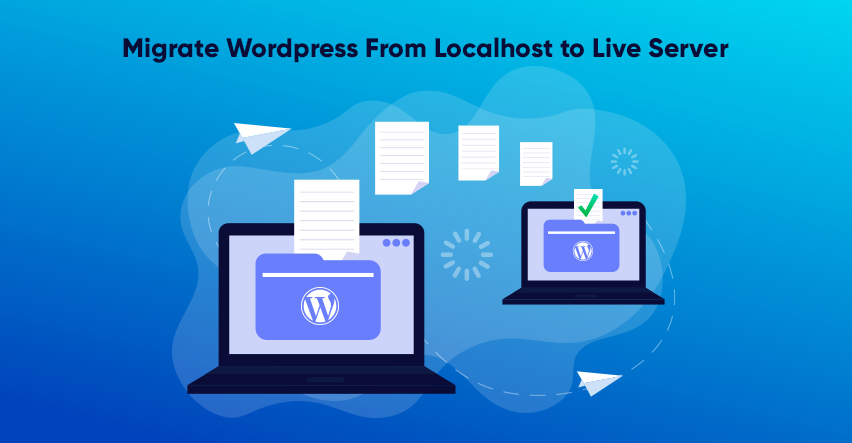
Before making the WordPress website stream live, it’s better to run and manage it on the localhost. Now, this migration needs to be done carefully. There are few simple steps that you need to follow to migrate WordPress from localhost to live server.
But before we go into that, you need to be sure about several things. First, you need to ensure that you have access to your WordPress website from localhost or server.
Then you need to get a domain name and hosting. After this you need to get FTP program to upload all the content you want to put on live server.
So, to migrate WordPress from localhost to live server there are two ways. First is by using Plugins and second in Manually.
Plugins
To migrate WordPress from localhost to live server using plugin can prove to be the easiest way. But here also there are two kinds of plugins that can help you.
All-In-One WP Migration Plugin
First you need to install and active this plugin. After the activation, you will find a new tab for All-in-one WP migration plugin on the dashboard. Click on it and the window for Export Site will appear. Here you will have to put the type of content you want to put on live server. After selection of the type, you will have to install the localhost.
Then you have to log in to cPanel. For this install WordPress on the server you want to use and activate the All-in-one WP migration plugin from the dashboard. From the tab of that plugin, click on import. It will be visible on the dashboard.
After this select the database file that we created earlier. The system will ask you if you want to import the localhost file. Make sure to take a backup of your site before proceeding. If you have taken already, then click on proceed.
Duplicator Plugin
For using the duplicator plugin to migrate from WordPress from localhost to live server; there are few easy steps you need to follow.
First, just like before, you will have to install and activate the duplicator plugin. The procedure is mentioned earlier. The new tab will be created on the dashboard. There go to packages and click on the Create new button. The plugin will then run some tests to make sure everything is at its place.
After this procedure, click on the build button. Then download the option for Installer. By doing this the Archive package will open. Click on ‘One-click download’ to download both of the files.
Then you need to go to cPanel dashboard and click on MySQL Database tab from the database. Put the name of the database and click on Create a user button. Then click on Add user to database section. This will allow a new user to work on the database.
After this you need to select the recently added user. For this you need to go to dropdown menu right next to the user field. There select the database and click on Add button.
Now, you need to connect the live site by using FTP client. During this make sure the root directory is empty. Then you will have to upload the archive. Along with this you have to upload the installer files from Duplicator into the empty root directory.
The final step here is to migrate WordPress from localhost to live server. After uploading the migration files, you need to visit ‘http://domainname/installer.php’. This site will help you in installing the Duplicator migration wizard. Now the installer will scan the archive files and run a validation test. Then before clicking on Next button to proceed read all the terms and conditions carefully.
Then you will have to put WP database information we have created earlier. After clicking the next button, the plugin will import the backup of WP database from the archive to new database. Then you have to update the URL or path and it will automatically detect the information. The plugin will finish the final procedure and show the result on screen.
Manually
To migrate the WordPress from localhost to live server, you have an option to do it manually. Let’s see how!
First you will have to visit http://localhost/phpmyadmin/ and there select the WP database. There you will spot the button for Export on the top menu bar, click on it. After this the window will show you two options, Custom or Quick. Choose either you want and click on the Go button to download the database.
Then open your FTP client and connect with your web hosting account. Upload the files in the right directory. After this select the local WP files and upload them to the live server.
You need to go to cPanel and click on MySQL database tab from the dashboard. Then give the database a name. Click on Create database button. Now you need to decide whether to create or add existing user to database from the MySQL section.
Then go to cPanel and click on phpMyAdmin. Click on import to open the import page. There click on Choose file and select the recently created database. Then click on Go.
Then in phpMyAdmin check the wp_options table in database. Then click on Browse button or on the link from the sidebar. This will show you the field list within the wp_options. Then look for SiteURL and click on edit. There in the input box for option_value you will find the URL of the local install.
Replace this URL with the new site URL. Click on Go to save the field. Repeat the same process for Home. Then put the home URL same as the site URL.
After this connect the website with FTP client and edit wp-config.php file. Here you need to put the username, password and name of the database we created recently. Then save the file and upload it to the live server. This will make your website go live.
Now log in to the WP admin panel and go to settings. Click on general. Then click on save changes. Then go to permalinks and into settings click on save changes.
Awesome WordPress themes are waiting for you on our website. Get it all today on sale. Also, get our WP bundle at just $99.